Design preview
Your Onsunday store, ready to review
This is the full design for the Onsunday online store, built as a Shopify theme. Take a walk through it, on your computer and on your phone, then send back anything you would like changed.
You are looking at a preview with sample data. You can browse, add candles to the cart and open the cart drawer. Checkout, email signup and the contact form are switched off here; they start working once the store is live on Shopify.
Pages to review
Every page of the store is here. The notes say what to look at on each one.
Homepage
Hero, flameless candles, shop by size, our story, benefits, reviews, lifestyle gallery and email signup.
Open →Collection
The product grid with filters (size, price, availability, collection), sorting and quick add to cart.
Open →Product: Small
Photo gallery with zoom, size switcher, quantity, Add to cart, Buy it now and the information tabs.
Open →Product: Medium
Uses the straightened Evening Pair photo. Please check it is the frame you had in mind.
Open →Product: Large
Uses the Sunday Pillar photo. Scroll down for "You may also like" and the reviews area.
Open →Our story
The brand page: your story line, why flameless, and three reasons to buy.
Open →Candle care
Cleaning, placement, batteries, remote and timer, and storage.
Open →FAQ
Eight common questions with answers, plus the contact form.
Open →Contact
"Questions about an order?" with hello@onsunday.shop and a message form.
Open →All collections
The page behind "Collections" in the menu. It fills up as you add collections.
Open →Sale and sold out
A demo of how the Sale badge, crossed-out price and Sold out label will look. These prices are examples only.
Open →Search results
What shoppers see after using the search icon in the header.
Open →To see the cart drawer, press Add to cart on any candle. It shows how far the order is from free shipping at $90. On a phone, the menu button opens the navigation and the product page keeps an Add to cart bar at the bottom of the screen.
What is included
A complete, premium storefront that you can edit yourself in Shopify, without touching code.
Design
- Warm ivory, cream and deep brown palette with brass accents
- Elegant serif headings with a clean, readable body font
- Designed for phones first, then tablet and desktop
- Onsunday name at the top of every page, ready for your logo file
- Header that stays in view as shoppers scroll
- Announcement bar: Ships from Canada. Free shipping on orders over $90.
Shopping
- Shop by size: Small, Medium and Large with one-tap Add to cart
- Slide-out cart with a free shipping progress bar
- Filters and sorting on collection pages
- Product photos with zoom, and swipe on phones
- Buy it now, plus Shop Pay and Apple Pay when you switch them on
- Trust points beside the button: ships from Canada, free shipping over $90, secure checkout, easy returns
- Email signup with the 10% first-order offer
Behind the scenes
- Every section can be edited, reordered or hidden in the Shopify editor
- Every photo can be replaced in a couple of clicks
- Search-engine basics: page titles, descriptions, image descriptions and product data for Google
- Fast loading: lightweight code and images that load as you scroll
- Accessible: keyboard friendly, readable contrast, labelled controls
- Passes Shopify's official theme check with no issues
Your candles and photos
The three sizes as they appear in the store, with the photo chosen for each.
| Photo | Product | Size | Price | Photo used |
|---|---|---|---|---|
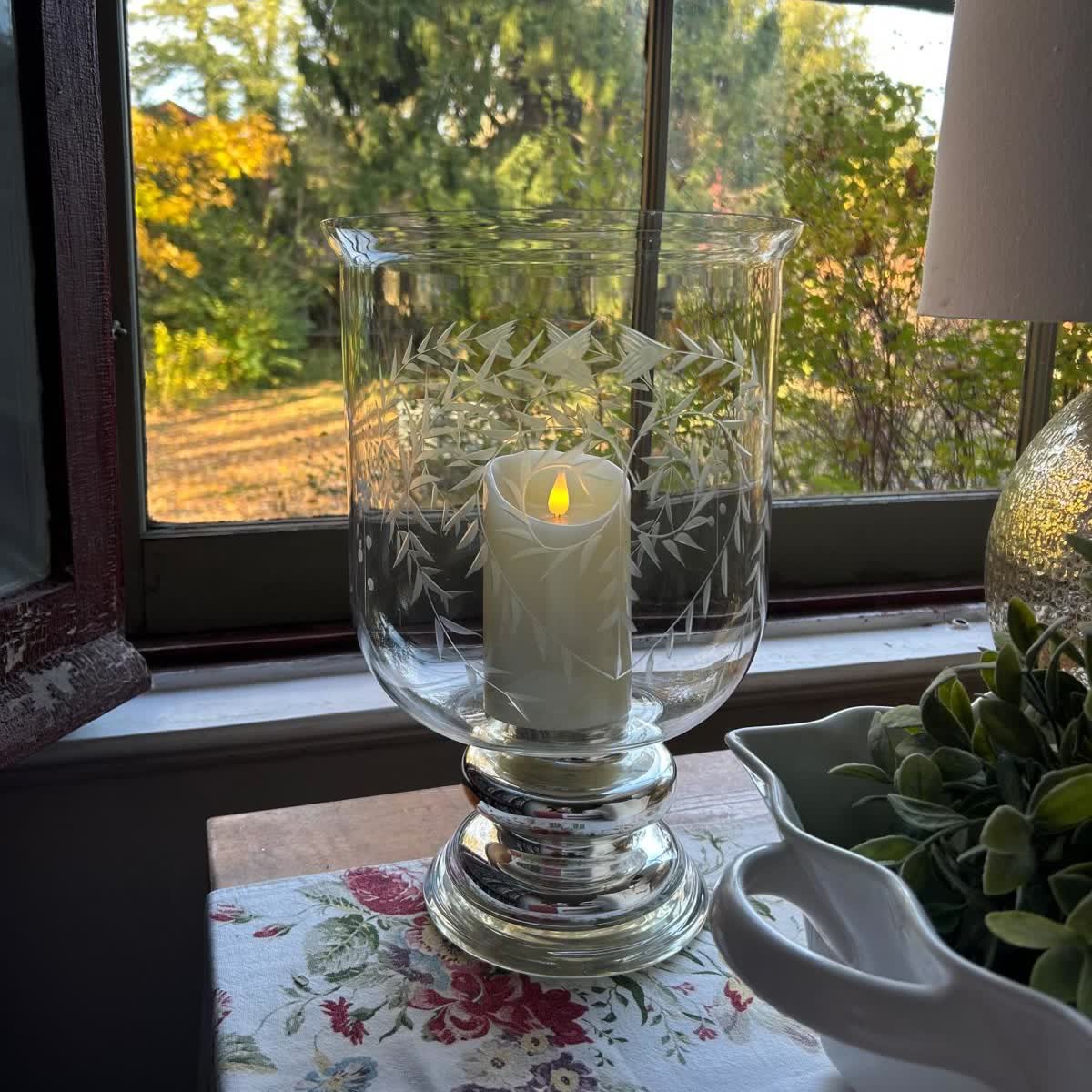 | Small Flameless Pillar Candle | 3 x 4 inches | $26 | Small candle in the etched glass by the window |
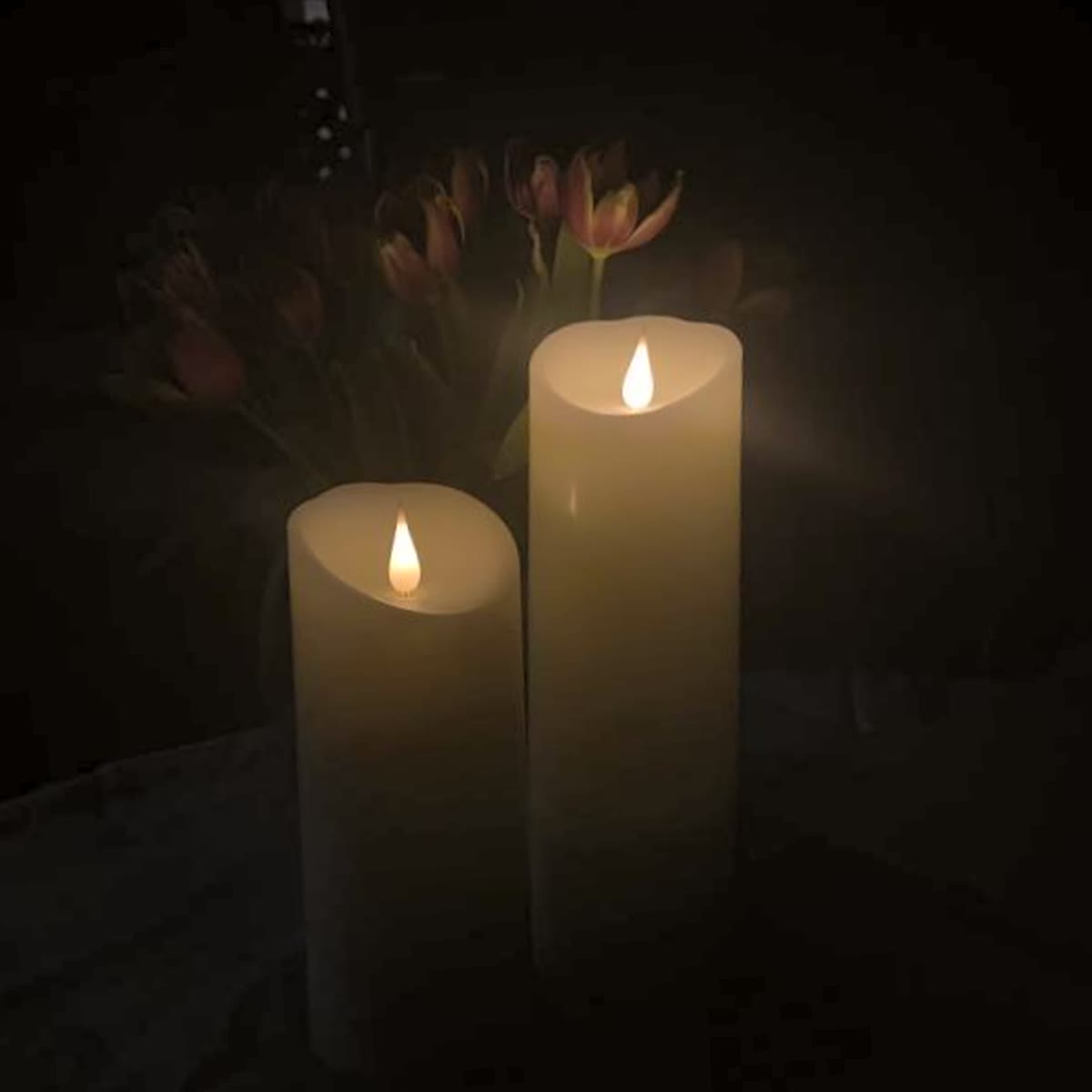 | Medium Flameless Pillar Candle | 3 x 7 inches | $34 | The Evening Pair, straightened and brightened slightly |
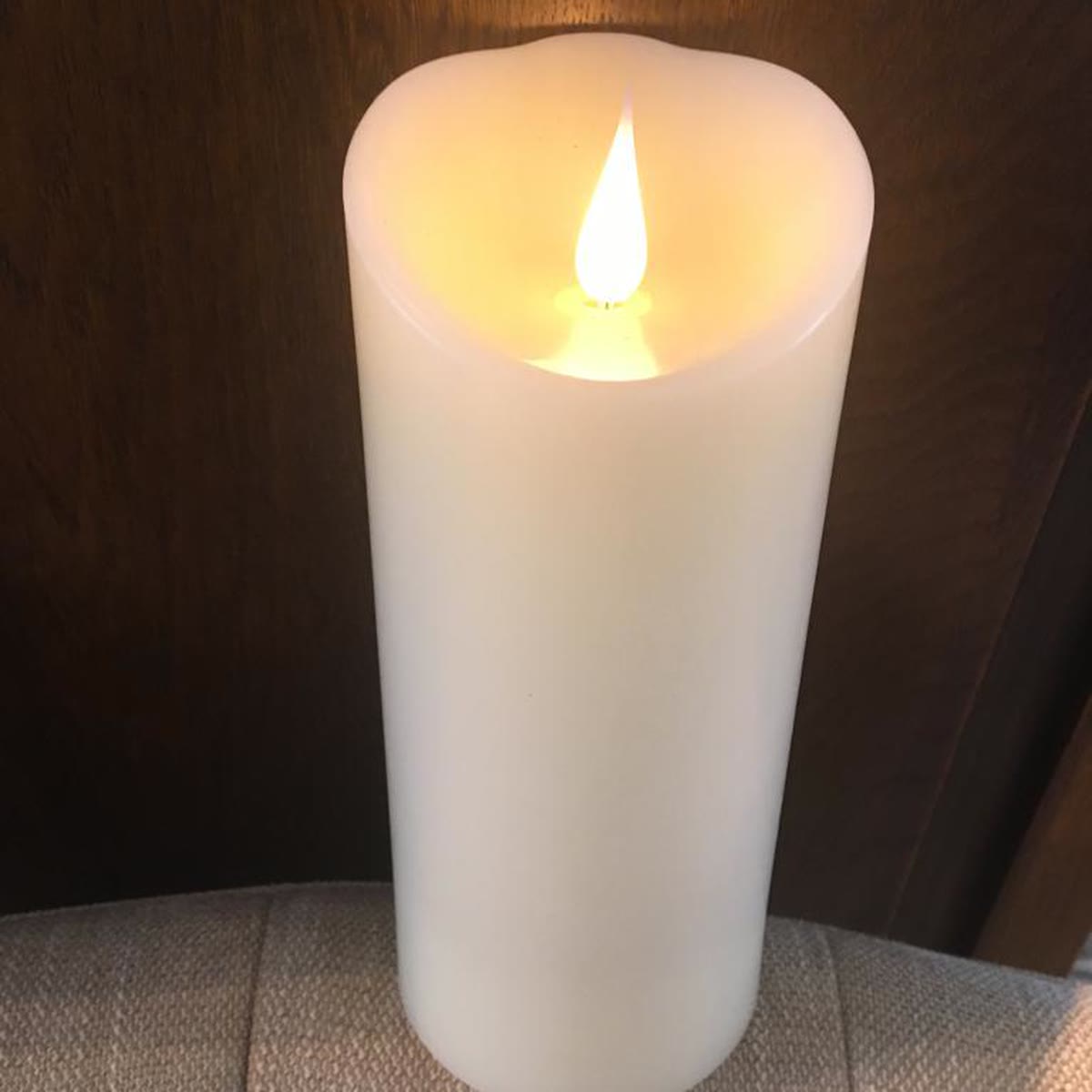 | Large Flameless Pillar Candle | 3 x 8 inches | $38 | The Sunday Pillar |
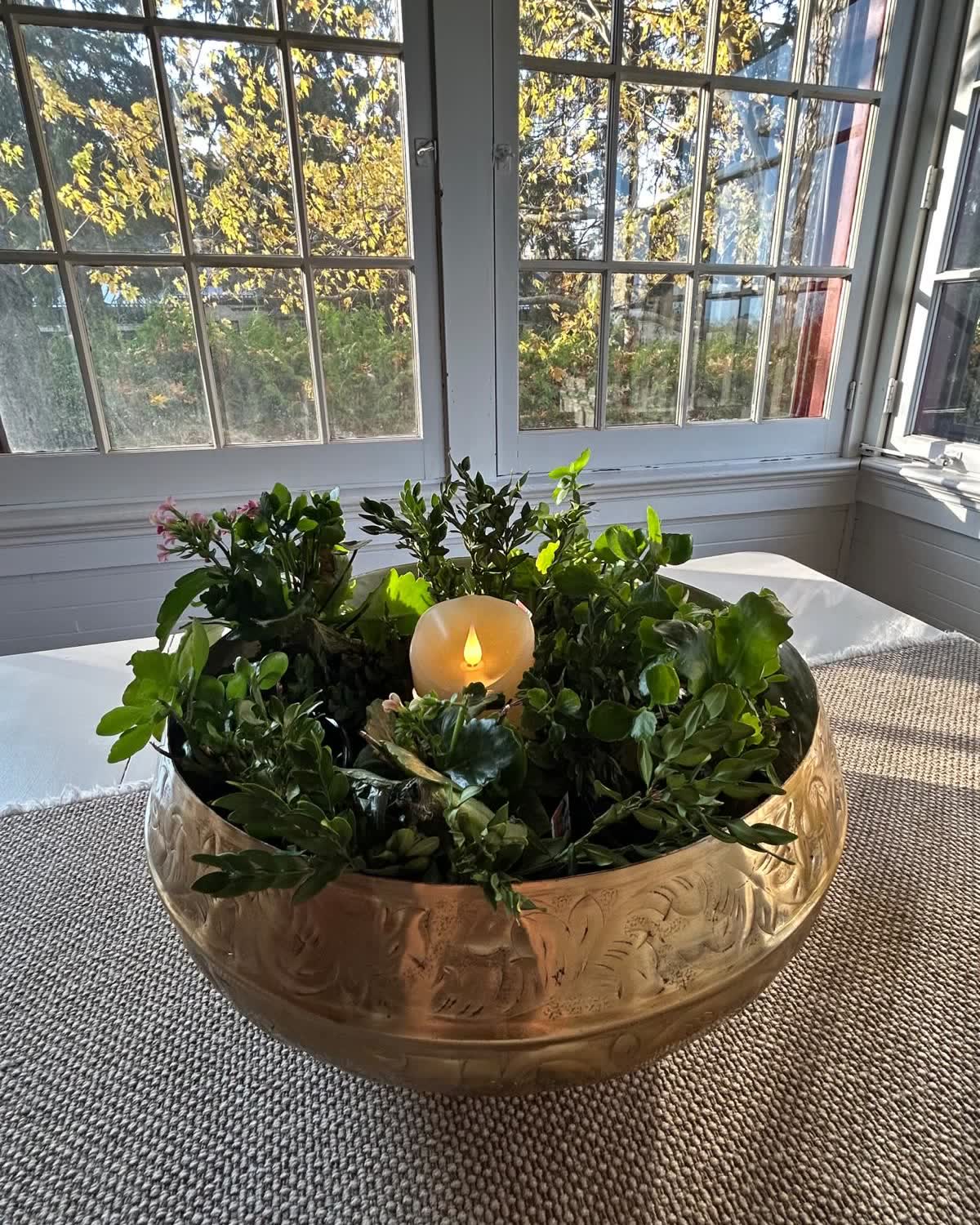
Elsewhere: the hero uses the brass bowl with a single candle, the Flameless candles section uses The Garden Trio, Our story uses the pillar at dusk, and the gallery includes the flicker video. The etched-glass photo is used for the Small candle only, not as the hero. All candles are ivory with a hand-melted edge, realistic flickering flame, built-in timer and remote control. AA batteries required, not included.
What we need from you
Seven things will take the store from preview to launch.
- Your feedback on the designAnything you would like changed: wording, photo choices, order of sections, colours.
- Confirm the Medium and Large photosThe photo sets arrived without their names, so these two were matched by eye. Tell us if a different frame should be used.
- Real customer reviewsThe review cards are placeholders. Send three to six real reviews with first names, or we can connect a reviews app that collects them for you.
- Your logo and social linksA logo file if you have one (the store uses the Onsunday name in the heading font until then), plus your Instagram, TikTok and Facebook addresses.
- Policy detailsReturn window, delivery times, where you ship to, and your business name and address for the Shipping, Returns, Privacy and Terms pages.
- A few product factsHow many AA batteries each size takes, the timer settings, and whether a remote comes with every candle. These make the FAQ and product pages more helpful.
- More photos, whenever you have themBright, level shots of each size on its own will lift the product pages. Square for products, portrait for lifestyle.
Going live
Once the design is approved, launch is a short list.
Setup in Shopify
- Install the theme in your Shopify store
- Add the three products with photos, prices and stock
- Create the pages, menus and policies
- Set free shipping for orders over $90
- Create the 10% welcome discount and email
Recommended apps
- Reviews: Judge.me
- Email marketing: Klaviyo, or Shopify Email to start simply
- Bundles and upsells: Shopify Bundles for a set of three
- Analytics: Shopify Analytics with Google Analytics
- Filters and search: Shopify Search & Discovery
Before opening
- Connect the onsunday.shop domain
- Turn on payments, including Shop Pay
- Place a test order from start to finish
- Check every page once more on a phone
- Remove the store password and announce